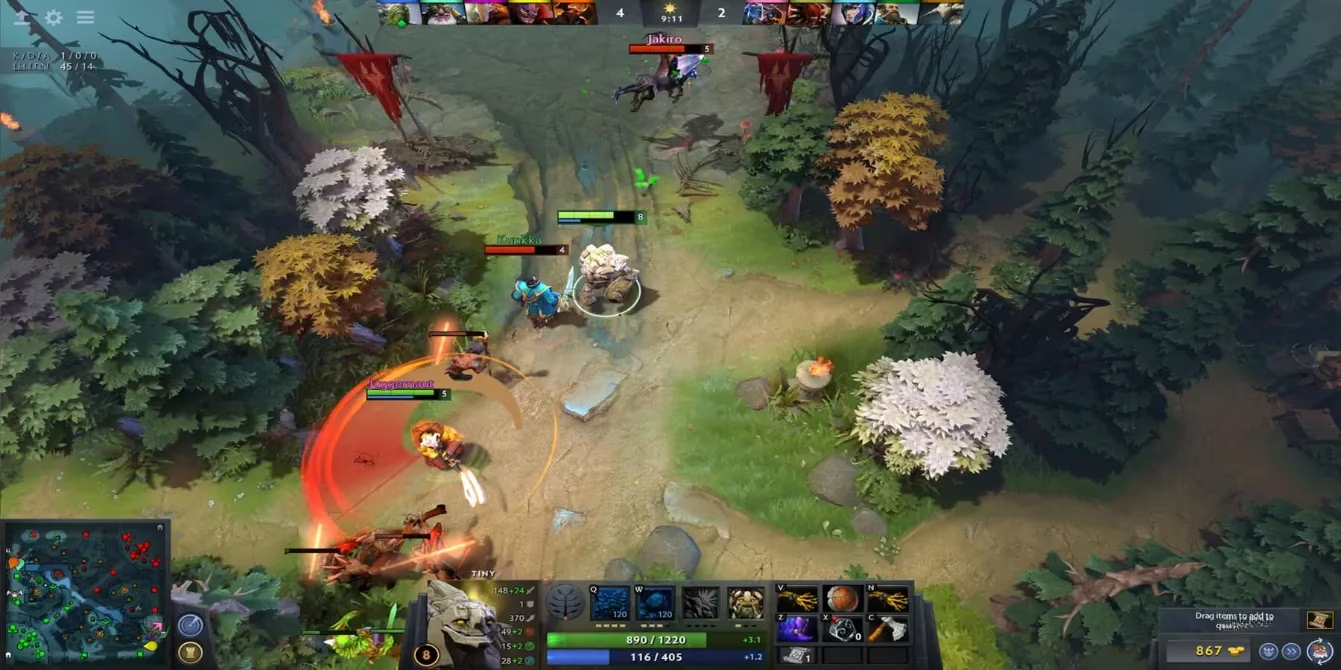
I still remember the first time I launched into the chaotic, breathtaking world of Dota 2 back in 2025. The screen was a whirlwind of colors, abilities, and pure pandemonium. My hero, a tiny, confused Crystal Maiden, kept wandering off-screen while I frantically tried to keep up by mashing my mouse to the edges of the monitor. It was a disaster. I felt like I was trying to drink from a firehose of information. Little did I know, my salvation was hiding in plain sight within the game's settings—a feature so powerful, yet so misunderstood: the camera lock. Fast forward to 2026, and I've transformed from that panicking newbie into a player who understands that true power in Dota 2 isn't just about flashy spells, but about commanding your perspective on the battlefield.
🔍 The Lost Art of Camera Control: Why It Matters in 2026
You might think, "But the pros don't use locked camera!" And you'd be right. The esports legends of 2026, with their godlike map awareness and split-second reactions, treat the camera like a free-roving drone. But for us mere mortals? The journey begins with control. The game's tutorials, while helpful for last-hitting and item builds, completely gloss over this fundamental aspect of interface mastery. It's like being taught how to swing a sword but never how to hold it. The dedicated camera-lock key of yesteryear is gone, buried in the annals of patch notes, but its spirit lives on through a brilliant, simple workaround that has become essential knowledge for the modern player.
⚙️ The 2026 Secret Sauce: How to Lock Your Camera in 3 Easy Steps
Unlocking this power is simpler than buying a starting item. Forget complex macros or third-party tools; the solution is built right in. Here’s the foolproof, step-by-step ritual I use in every single match:
-
Summon the Settings Menu: From the main menu, I boldly click that tiny gear icon in the top-left corner—the gateway to all power.
-
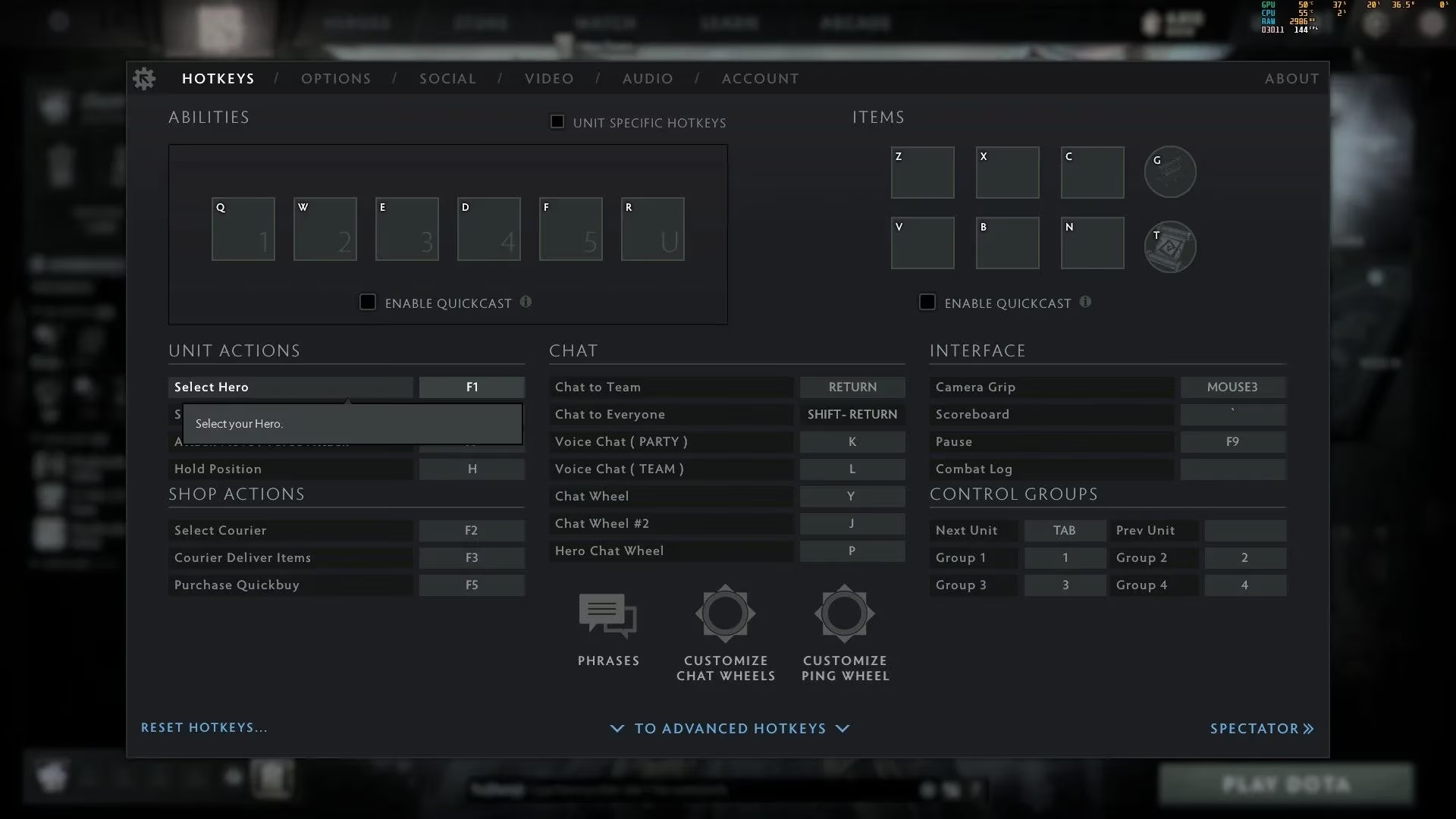
Bind Your Hero's Essence: I navigate to the 'Hotkeys' tab. Scrolling down to the 'Unit Actions' section, I assign a sacred key to 'Select Hero'. For me, it's the 'F1' key—a key that now feels like an extension of my will.
-
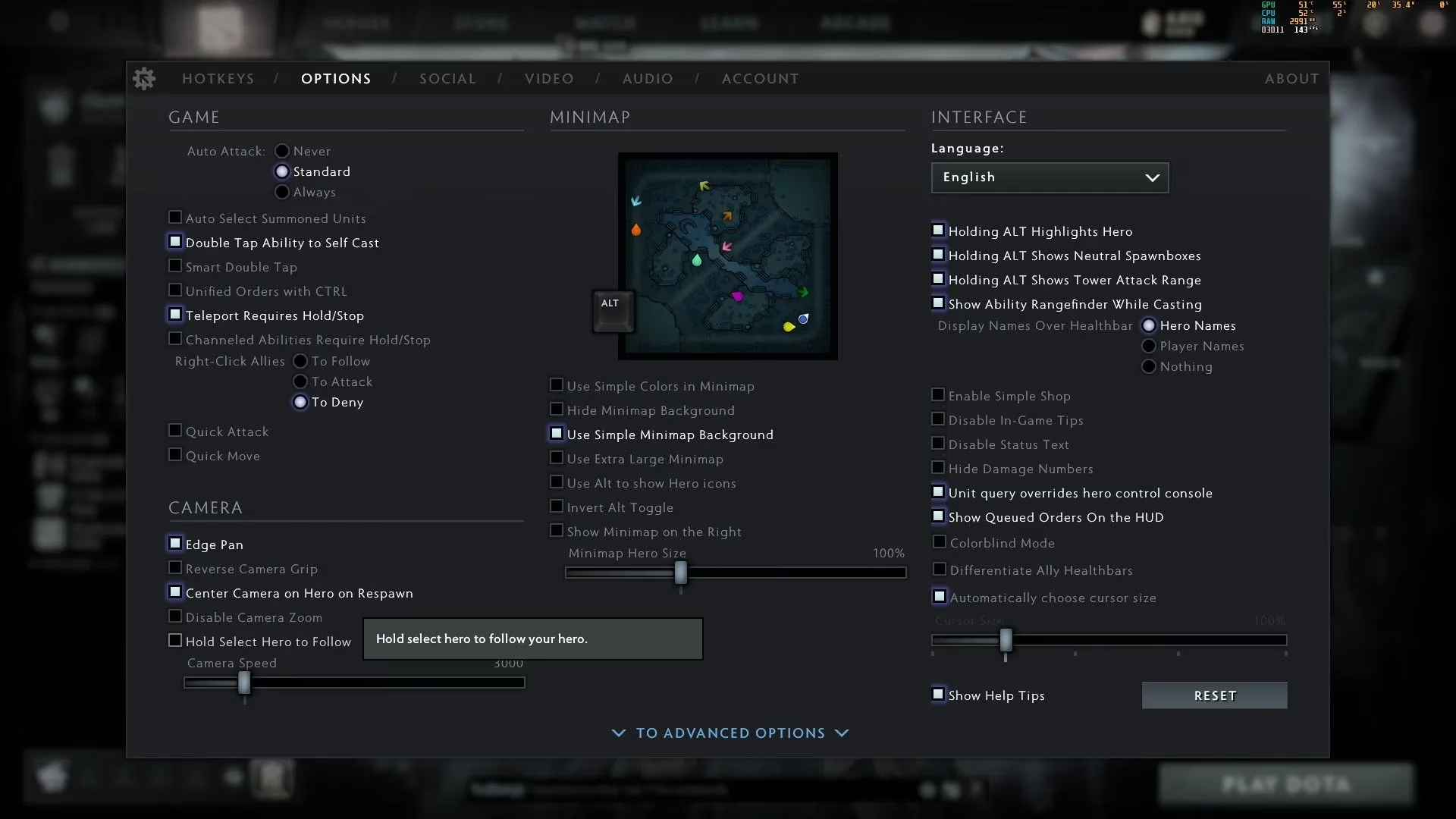
Activate the Follow Protocol: This is the magic step. I switch to the 'Options' tab. In the 'Camera' section, I perform the two rites that change everything:
-
I ENABLE 'Hold Select Hero to Follow'. This is the command that makes the camera my loyal servant.
-
I DISABLE 'Edge Pan'. This prevents my clumsy mouse movements from wresting control away.
-
And voilà! Now, in the heat of battle, a simple tap of my 'F1' key anchors the universe firmly around my hero. For an even quicker fix, I can just double-click on my hero portrait. It’s instantaneous!
🎯 When to Unleash the Lock: Strategic Applications for 2026 Meta
Okay, so you've got the power. But when do you use it? Blindly locking your camera for an entire 45-minute slugfest is a recipe for disaster and a surefire way to miss a gank from the shadows. The genius lies in tactical, momentary application. Here’s my personal cheat sheet for when to engage camera-lock mode:
| Scenario | Why Lock the Camera? | Pro Tip for 2026 |
|---|---|---|
| Precise Body Blocking | To perfectly position your hero's hitbox and physically impede an escaping foe. | Practice against bots in the demo mode to feel the exquisite, pixel-perfect collision. |
| Learning Hero Animations | To intimately study the cast points and backswings of your new hero's spells without losing them. | Use it with heroes like Shadow Fiend for mastering that perfect 'Raze' combo. |
| High-Intensity Team Fight Entry | For the initial 2-3 seconds when you blink in, ensuring your first crucial spell lands exactly where you are. | Bind a second, easy-to-reach key (like a side mouse button) for 'Select Hero' for faster toggling. |
| Managing Kiting & Orb-Walking | When playing a ranged carry like Drow Ranger, locking momentarily can simplify the attack-move rhythm. | Always toggle it OFF immediately after to check the broader fight positioning. |
.jpg)
🌍 The Great Migration: A Blessing for MOBA Converts
Let's talk about our brothers and sisters from other realms. If you're a refugee from the structured battlefields of League of Legends or the chaotic brawls of Heroes of the Storm, this feature is your warm welcome to Dota 2. Your muscle memory is wired for that centered, secure perspective. Using camera lock as a training wheel in your first 50-100 hours is not just acceptable—it's encouraged! It reduces the overwhelming cognitive load, letting you focus on Dota's dense mechanics: turn rates, deny mechanics, and the jungle stacking timers that define the 2026 meta. Think of it as stabilizing your ship in a storm before you learn to sail through it.
🚀 The Path to Enlightenment: From Locked to Liberated
The ultimate goal, of course, is to ascend. The locked camera is a cocoon, and you are the butterfly meant to see the entire map. Here’s my recommended evolution path:
-
Phase 1: The Novice (0-100 hrs): Use lock frequently. Get comfortable with your hero, the feel of the game, and basic mechanics.
-
Phase 2: The Apprentice (100-300 hrs): Start toggling. Use lock for precise maneuvers (like blocking or last-hitting under tower), but force yourself to pan the camera to check runes or other lanes.
-
Phase 3: The Journeyman (300+ hrs): Bind and master camera hotkeys. Use keys to snap to runes, courier, or other heroes. Your 'Select Hero' key becomes just one of many tools, not the default.
-
Phase 4: The Master: The camera is an extension of your mind. You fluidly combine edge pan, middle-mouse drag, and hotkey snaps without conscious thought. The "lock" is a forgotten relic, used maybe once every few games for a hyper-specific micro-task.
So, there you have it. In 2026, Dota 2 is more dynamic and demanding than ever. Don't let purists shame you for using every tool at your disposal. The camera lock feature is a powerful mentor. Embrace it, learn from it, and then, when you're ready, transcend it. Now, get out there and command your view of the battlefield—your victories await! 🏆